Post a Trial Reel
Test an Instagram Reel on non-followers first, then share the winner to followers. Results stay tagged and separate.
- 1Start an Instagram Reel
Open the post composer, choose your Instagram account and attach one video with no images. Leave Post as Story off. Trial Reel eligibility varies by professional account.
- 2Turn on Trial Reel
In the Instagram settings, turn on Trial Reel (non-followers first). Under Show to followers, choose Manually, from the Instagram app to decide when to share the winner yourself.
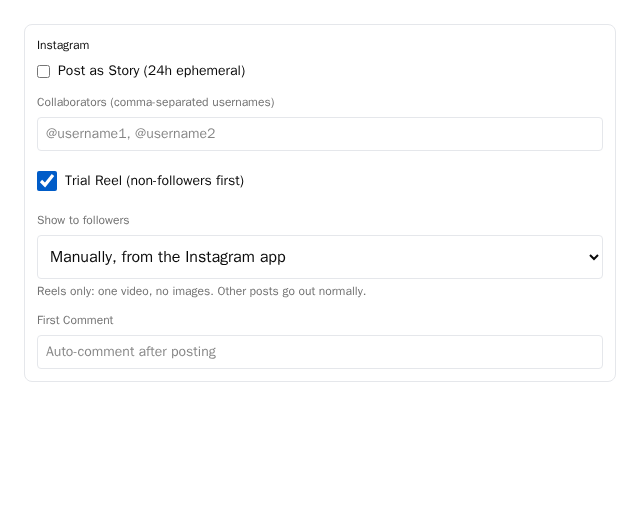
Composer Instagram settings: choose manual sharing to decide when the winner goes to followers. - 3Choose how the winner is shared
Choose Automatically, if it performs well if you want Instagram to share it. Admin default uses the configured default, so choose manual or automatic explicitly when you want control. Schedule or publish your Reel; trial results stay apart from normal Reels.
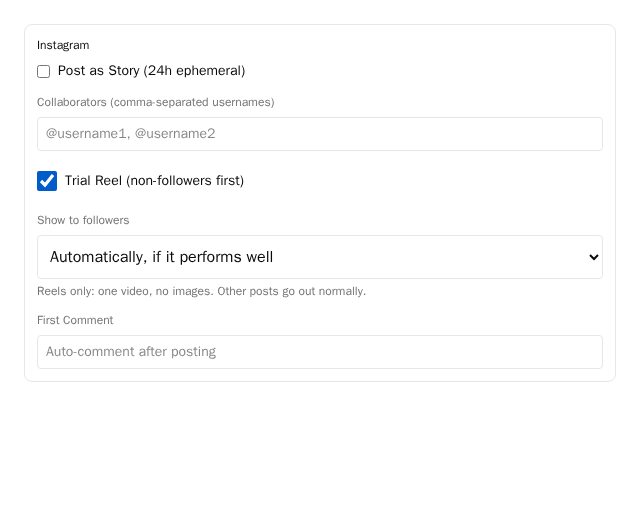
Composer Instagram settings: choose automatic sharing to let Instagram share a strong performer.